To create a subdomain, click on the "Subdomains" icon in the main control panel menu.
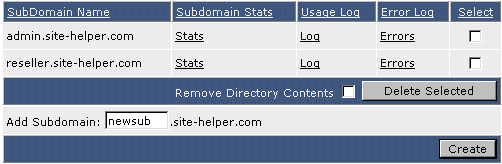
In the above example we are creating newsub.sitehelper.com. To create the subdomain, click the "Create" button.

You may also create sub.sub.sub.sub.domain.com. In the above example we have created i.love.site-helper.com.
Note: It may take up to five minutes for a new subdomain to become active.
