To change the password of an e-mail account first access the "POP3 E-Mail Accounts" menu. Next, click the "change" link next to e-mail address).
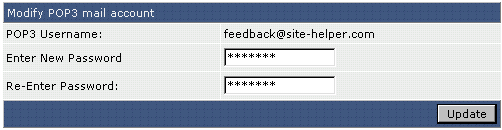
Once the "Modify POP3 Mail Account" box appears, enter the new password and click "Update."
To change the password of an e-mail account first access the "POP3 E-Mail Accounts" menu. Next, click the "change" link next to e-mail address).
Once the "Modify POP3 Mail Account" box appears, enter the new password and click "Update."
