All autoresponders are listed in the autoresponder menu. To delete an autoresponder, check the box beside the autoresponder name and click the "Delete Selected" button.
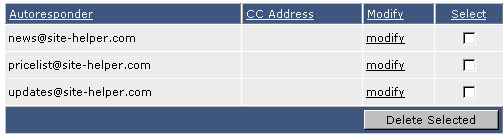
To modify an autoresponder, click the "modify" link next to the autoresponder name. The modify feature allows you to change the autoresponder message and CC: address. When you are finished, click the "Create" button.
