All filters will be listed in the filters menu. This will look something like:
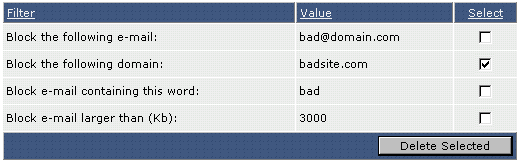
In this example we no longer want to block all e-mail coming from badsite.com. Check the box next to the filter(s) you want to remove and then click the "Delete Selected" button.
