Error pages allow you to control what visitors see when they encounter these types of errors:
401 Unauthorized (the visitor does not have permission to view the file/directory)
403 Forbidden (access to the file/directory is not possible)
404 The file or directory is not found
500 An error occurred on the server
From the main control panel menu, click the "Error Pages" icon. You will see a screen that looks like this:
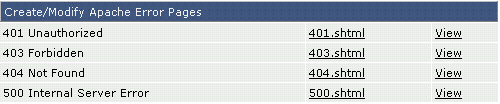
By default, there are no error pages. That is, 401.shtml, 403.shtml etc., do not exist. The "View" link next to each file name allows you to see what a visitor sees when they encounter that type of error.
