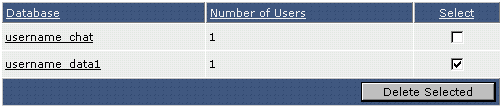
A list of all databases is present in the main MySQL databases menu. To delete a database, check the box next to the database name you want to delete and then click the "Delete Selected" button. In the above example, we are deleting the database named username_data1.
