There may be times when you want to have more than one login name and password assigned to a database. To add additional users to a database, follow these steps:
1. From the main database menu, click on the name of the database you want to modify.
2. Click on the "Create New Database User" link at the top of the screen.
3. Enter a username and password and then click the "Create" button.
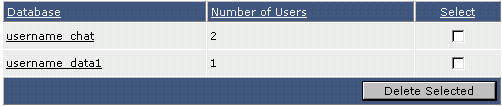
You can see how many users each database has from the main MySQL databases menu.
